5 reasons Home Assistant is the best addition to every smart home owner’s NAS setup
Key Takeaways
- Home Assistant supports a wide variety of smart devices, making it a versatile option for managing IoT products.
- Home Assistant is compatible with most NAS operating systems, whether pre-built or DIY, offering flexibility.
- Home Assistant has a user-friendly interface and advanced automation features, making it a robust smart home management platform.
Contrary to what you may believe, a Network-Attached Storage server can do a lot more besides acting as a centralized hub for all your file-sharing needs. Since most NAS operating systems support plenty of applications, you can create some crazy projects on your storage server.
However, few apps can rival the utility of Home Assistant. If you’re even remotely interested in smart home devices, here are a couple of reasons that should convince you to give this amazing app a shot.
5 Wide variety of supported devices
From smart lights to garden sprinklers, Home Assistant can work with anything!

Smart home gadgets have become quite affordable in recent times. But due to the sheer number of companies manufacturing these devices, you’ll have to deal with multiple apps to control all the smart paraphernalia in your living space.
Thankfully, Home Assistant supports a majority of IoT products and smart home appliances. Be it devices running on the low-frequency Z-Wave protocol, or Zigbee equipment that leverages the IEEE 802.15 standard, you won’t have any issues pairing most smart devices with Home Assistant.
4 Compatible with most NAS operating systems
You can get it up and running on pre-built and self-assembled enclosures
The NAS landscape can be largely categorized into two segments: pre-built chassis that often feature first-party operating systems and DIY builds where you’re free to install any OS of your choice. Regardless of your setup, you can deploy Home Assistant on nearly every major NAS OS.
For weaker NAS devices, you can run Home Assistant inside a Docker container, and get access to nearly all of the app’s features. Meanwhile, data hoarders with powerful self-assembled rigs can initialize a virtual machine to access the full extent of the services offered by Home Assistant.
3 Plenty of integrations and plugins
Including one that lets you connect ESP32 projects to your smart home
In the rare event that an IoT gadget doesn’t work with Home Assistant, you can try installing its associated integration. With Home Assistant supporting over two thousand integrations, you can pair 3D printers, projectors, and microcontrollers with your NAS-turned-smart hub.
As if that’s not enough, you can add custom repositories to the Home Assistant Add-On store and gain access to an even larger selection of plugins. That said, you can only access this store when running Home Assistant on top of a virtual machine, though the official integrations should be more than enough if you’re using a container-based instance of HA.
2 Highly accessible UI for beginners…
You don’t need to read long tutorials to familiarize yourself with the interface

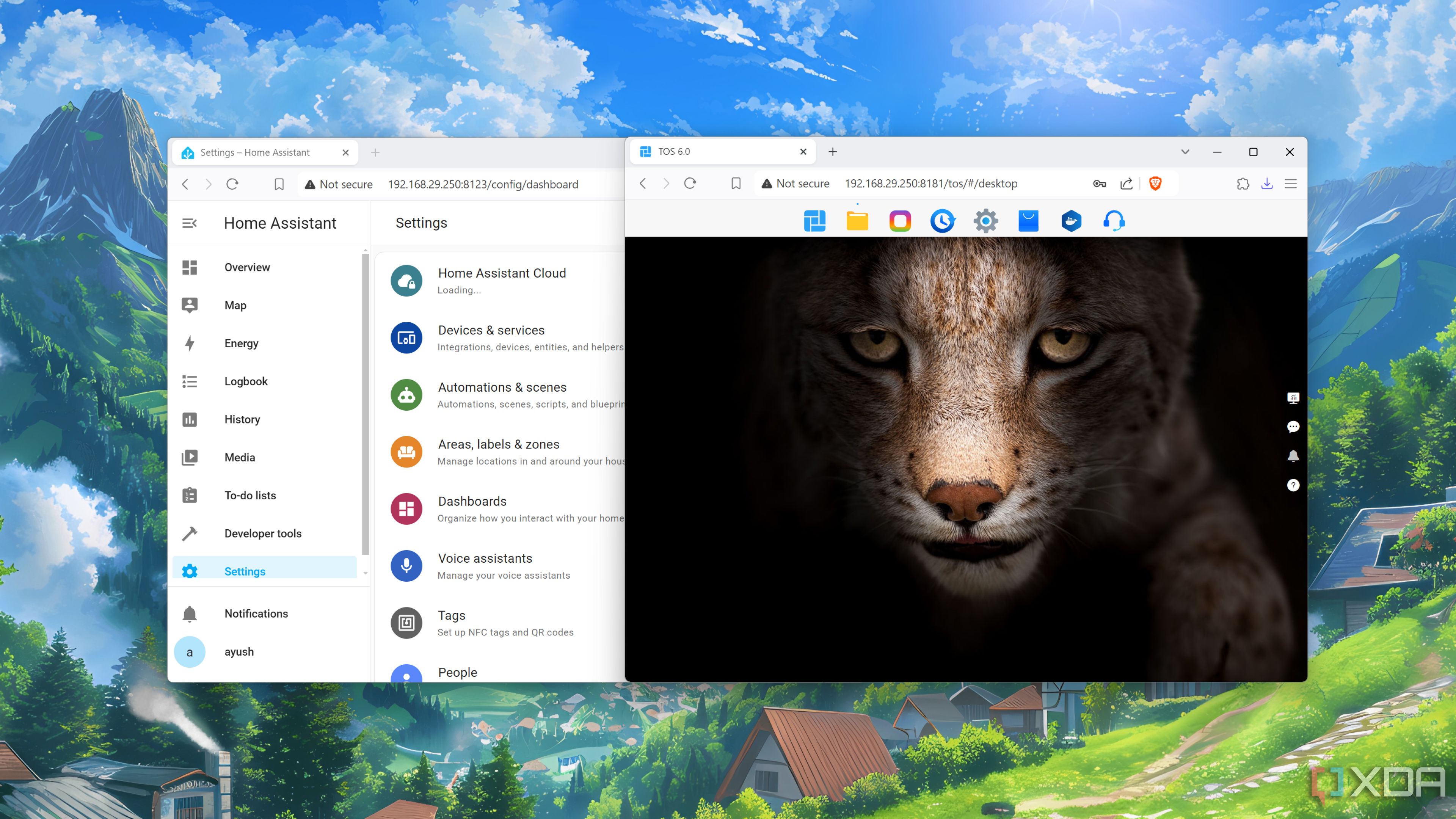
One of the best aspects of Home Assistant is that it has a straightforward UI that’s both pleasing to the eyes and simple to use. The Devices & Services section inside the Settings tab is where you’ll be spending most of your time, and you can add all your smart home devices within minutes of installing HA on your NAS.
What’s more, you can pin all the essential devices into the Overview tab to access them from a convenient dashboard. But don’t let its easy-to-access nature fool you; this impressive app has plenty of tricks up its sleeve.
1 … With plenty of features for automation enthusiasts
You can even code your own YAML scripts!

If you’re a hardcore home lab enthusiast, you’ll be surprised at all the cool stuff you can pull off on Home Assistant. While controlling your IoT systems from a centralized interface is pretty useful, the Developer tools take HA’s utility to the next level.
For starters, you can automate all your devices by mapping certain actions to their states, and automation experts can define their own YAML files to further customize the functionalities of their smart home products. Once you include the log generator, sentence parser, and event listener, it’s easy to see why it’s the be-all-and-end-all smart home management platform.
Your NAS isn’t the only device that can run Home Assistant

From its rock-solid integrations to an ultra-useful dashboard that can even display statistics from your NAS, Home Assistant is an amazing app for your storage server. If you don’t have access to a NAS, you can even run a Home Assistant server on other devices, including pint-sized SBCs like the Raspberry Pi. However, I’d recommend getting a NAS (preferably a self-built one) if you don’t want to run into performance issues when managing multiple smart home devices.
link